Hugging Face shipped LeRobot, an open-source AI library for real-world robotics, under an Apache 2.0 license. The release includes Python training scripts, pretrained policies, dataset utilities, and a public leaderboard. LeRobot is not a single model, so it does not have one parameter count or context window. The included policies range from 1 million to over 100 million parameters depending on the architecture. LeRobot first landed on May 16, 2024, and received steady updates through 2026. The project lives on the Hugging Face homepage and GitHub. Hugging Face hosts the source and pretrained checkpoints. You can install the package from PyPI and start recording robot episodes with a low-cost arm.
Hugging Face, known for open model hosting, built the library. The company publishes code on GitHub and model cards on Hugging Face. The source includes dataset conversion scripts, evaluation harnesses, and simulation integration. This matters because it removes the need for a proprietary cloud robotics API. Open access to robotics models mirrors the broader shift toward free, inspectable tools. You can read our free model roundup for similar language model releases. The team positions LeRobot as a low cost path for researchers who cannot afford $30,000 arms or per hour robot cloud fees. The library targets small labs, hobbyists, and startups that want full control over data and weights.
LeRobot matters because it combines three open source pieces: data, models, and hardware interfaces. Closed robotics platforms often lock policy weights after training. LeRobot gives you the full pipeline. You can collect episodes with a $250 arm, train a policy on one GPU, and deploy without license fees. This compares well to paid tiers from commercial providers. Some API vendors have tightened free access, as covered in AI free tier limits get tougher. LeRobot’s Apache 2.0 license avoids those paywalls and usage based billing traps. That freedom is not theoretical. The code is installable today from PyPI. For robotics teams, this cuts monthly spending.
The library supports ACT, Diffusion Policy, VQ-BET, and TDMPC. Observation history is typically short, around one second of video frames, not a long text context window. Dataset sizes range from a few hundred megabytes for simulated tasks to over 100 gigabytes for real world manipulation. Benchmark scores are public on the LeRobot leaderboard but vary by task and hardware. License is Apache 2.0. The package installs from PyPI and runs on Linux with Python 3.10. This makes it a free, inspectable baseline for anyone testing robot learning. You can stream large datasets without downloading them first.
How Do the Top Options Compare?
| Platform | License | Best For | Hardware Targets | Model Support |
|---|---|---|---|---|
| LeRobot | Apache 2.0 | End-to-end real-world policy training | Low-cost arms, ALOHA, Franka, simulation | ACT, Diffusion Policy, VQ-BET, TDMPC |
| ROS 2 | BSD 3-Clause (core) | Robot middleware, sensor integration | Most industrial and research robots | No built-in policy training |
| NVIDIA Isaac Lab | BSD-3-Clause + NVIDIA SDK | GPU-accelerated simulation and RL | Simulated robots, Isaac Sim | RL policies, custom PyTorch models |
| Open X-Embodiment | Apache 2.0 (dataset) | Cross-robot data sharing | Many real robot datasets combined | Pre-collected policies only, no trainer |
LeRobot uses Open X-Embodiment datasets but adds training and evaluation tools.
1. LeRobot , Free end-to-end robotics training
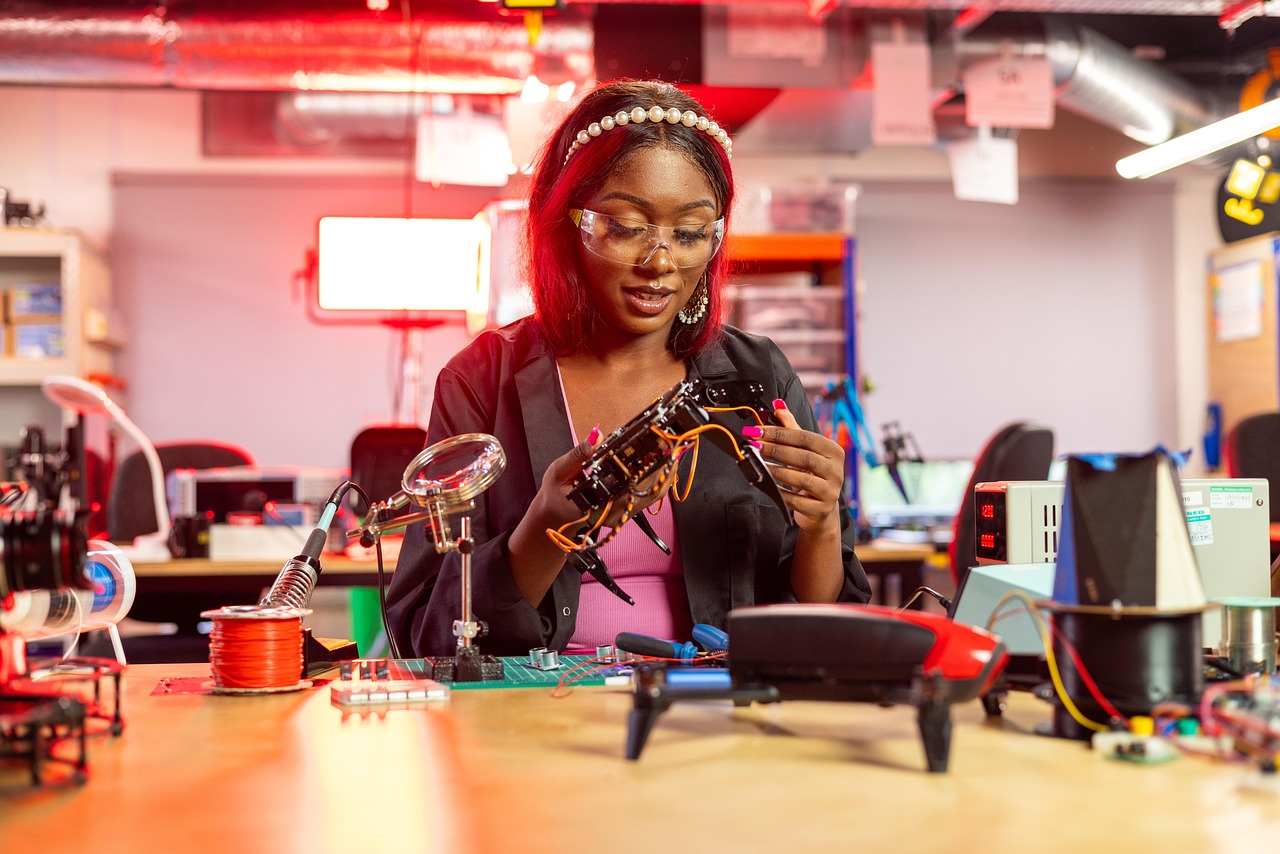
LeRobot is the primary open-source stack from Hugging Face. It ships under Apache 2.0 and covers data collection, model training, evaluation, and deployment. The library uses PyTorch and exposes simple Python scripts. You can record episodes with a phone camera and a low-cost arm, then train an ACT policy on a single RTX GPU. The package includes pretrained weights for common manipulation tasks. That removes the need to start from scratch. Hugging Face hosts the project and the model cards.
LeRobot also includes a dataset viewer and conversion tools for Open X-Embodiment files. This saves weeks of data plumbing. You can stream large robotics datasets without downloading everything first. The default observation stack stores camera frames, joint states, and actions. No proprietary cloud service required. That matches the shift toward free, inspectable tools covered in our free AI model roundup.
One honest limitation: setup still demands Python and Linux patience. The library assumes you can handle device drivers and robot calibration. You will not get a plug-and-play appliance. But for engineers who want ownership, that trade is worth it.
Key strengths:
- ✅ Apache 2.0 license keeps the code and weights free for commercial use
- ✅ Pretrained ACT, Diffusion Policy, and VQ-BET models reduce training time
- ✅ Works with low-cost arms and common webcams
- ✅ Includes dataset streaming and Open X-Embodiment conversion
- ✅ No per-hour cloud robotics fees
- ❌ Linux and Python experience required
- ❌ Real robot hardware can still be fragile and slow to calibrate
- ❌ Smaller community than ROS for production middleware
Who it’s for: Researchers, makers, and startups that want to train and own robot policies without paying for closed platforms.
2. ROS 2 , Production robot middleware
ROS 2 is not a learning library. It handles messaging, hardware drivers, navigation, and control. Most industrial robots talk ROS 2 at some level. The core is BSD-3-Clause, so you can use it commercially. But ROS 2 has no built-in policy training for manipulation. You combine it with LeRobot or another learning stack.
Many teams run LeRobot for policy training and ROS 2 for deployment. That split gives you reliable real-time control plus modern ML. If you only need autonomous driving stacks or robot arms with classical controllers, ROS 2 may be enough. But the API free tier debate shows how paid AI services can shift pricing over time, as covered in AI API free tiers limits. ROS 2 core stays free.
ROS 2 configuration can be heavy. You deal with DDS settings, QoS profiles, and node graphs. For a small robot arm with two cameras, LeRobot is simpler. For a multi-robot factory, ROS 2 is the proven choice. The two are not competitors as much as layers.
Key strengths:
- ✅ BSD core license allows commercial products without royalties
- ✅ Massive ecosystem for drivers, SLAM, navigation, and control
- ✅ Works on most industrial research robots
- ✅ Strong real-time and multi-process communication
- ❌ Steep learning curve for DDS and middleware settings
- ❌ No built-in ML policy training
- ❌ Overkill for single-arm manipulation projects
Who it’s for: Teams that need production control, navigation, and multi-robot communication beyond a learning lab.
3. NVIDIA Isaac Lab , GPU-accelerated simulation training
NVIDIA Isaac Lab is an open-source simulation platform for robot learning. It builds on Isaac Sim and uses PhysX for high-speed parallel environments. The code is BSD-3-Clause, but the underlying Isaac Sim and Omniverse stack require NVIDIA GPU drivers and a free NVIDIA account. You can train reinforcement learning policies for thousands of simulated robots in parallel.
Compared with LeRobot, Isaac Lab focuses on simulation first. LeRobot includes real-world data collection tools. Isaac Lab excels at synthetic data and RL. For many tasks, you can train in Isaac Lab and fine-tune with LeRobot on real data. NVIDIA publishes Isaac Lab resources on its site. The free software still requires a powerful RTX GPU, which can cost more than a low-cost robot arm.
Isaac Lab does not include many pretrained manipulation policies out of the box. You often write custom PyTorch models. LeRobot ships pretrained ACT and Diffusion Policy weights. That makes LeRobot faster for small real-world tasks. But for robot locomotion and parallel sim, Isaac Lab is hard to beat. Pricing changes across AI tools continue, so open-source stacks like this help control cost. See AI price war impact.
Key strengths:
- ✅ Massive parallel simulation with PhysX and GPU acceleration
- ✅ BSD core code, free to use
- ✅ Strong for reinforcement learning and locomotion
- ✅ Tight integration with NVIDIA Omniverse
- ❌ Requires high-end NVIDIA RTX GPU and driver setup
- ❌ Focused on simulation, not real-world dataset tooling
- ❌ Fewer ready-to-use manipulation policies than LeRobot
Who it’s for: Robotics teams with NVIDIA hardware that need large-scale simulated training before real deployment.
4. Open X-Embodiment , Cross-robot data sharing
Open X-Embodiment is a dataset collection, not a training library. It pools robot episodes from dozens of institutions. The goal is to train generalist robot policies across many hardware types. The dataset is Apache 2.0, though some subsets have their own terms. LeRobot includes conversion tools and dataset loaders for Open X-Embodiment, so you can use it directly.
RT-X models trained on Open X-Embodiment improved success rates on unseen tasks. But those models are often research checkpoints, not easy-to-use packages. LeRobot gives you the training scripts and evaluation harness. That matters because free access to data is not the same as free access to training. Our free AI models guide explains that distinction for language models.
The dataset is large and can exceed 1 TB for full video frames. Streaming support in LeRobot helps, but storage costs remain. If you lack local disk, you may need cloud object storage. That is the honest cost of cross-robot data. Still, Open X-Embodiment is the largest open source for real robot manipulation.
Key strengths:
- ✅ Largest open cross-robot manipulation dataset
- ✅ Apache 2.0 dataset terms for many subsets
- ✅ Improves generalization across unseen tasks
- ✅ Works with LeRobot loaders and conversion utilities
- ❌ Full dataset can easily exceed 1 TB of storage
- ❌ No training framework or pretrained policy deployment included
- ❌ Some subsets have different license constraints
Who it’s for: Researchers who need broad real-world robot data to train generalist policies.
Frequently Asked Questions
What is LeRobot?
LeRobot is an open source robotics library from Hugging Face. It provides tools to collect real robot data, train policies like ACT and Diffusion Policy, evaluate them, and deploy. The code is Apache 2.0 and installs from PyPI.
What license does LeRobot use?
LeRobot uses the Apache 2.0 license. You can use it for commercial products, modify the code, and redistribute trained weights without paying royalties. The license covers the library and most pretrained checkpoints.
Does LeRobot have a parameter count or context window?
LeRobot does not have one parameter count because it is a framework, not a single model. The included policies range from 1 million to over 100 million parameters depending on the architecture. Observation history is short, typically about one second of video frames, not a long text context window.
How does LeRobot compare to ROS 2?
LeRobot focuses on policy learning, while ROS 2 handles robot middleware and control. Many teams use LeRobot for training and ROS 2 for deployment. The two are complementary rather than direct competitors.
Can I train a robot policy for free with LeRobot?
Yes, you can train a policy locally with a single GPU and low-cost robot arm. There are no per-hour cloud robotics fees or API paywalls. You need to provide your own hardware and Python environment.
What hardware do I need for LeRobot?
LeRobot works with low-cost arms such as ALOHA or Franka, a standard webcam, and a Linux machine with Python 3.10. Training on real data usually requires one CUDA-enabled GPU. Simulated tasks can run on CPU for small tests.
What Should You Remember?
- LeRobot license: Apache 2.0 allows free commercial use, training, and redistribution.
- Training stack: Use ACT, Diffusion Policy, or VQ-BET scripts without per-hour fees.
- Hardware flexibility: Low-cost arms and webcams record real robot data.
- Dataset access: Stream Open X-Embodiment data with built-in loaders.
- ROS 2 fit: Pair LeRobot for policy learning with ROS 2 for production middleware.
- Cost control: No API paywalls or usage-based pricing, unlike many proprietary AI tools.
Free AI News is an independent editorial publication. Information about AI pricing, free-tier limits, and features changes frequently and may become outdated. Always verify current details through the vendor’s official pages. Affiliate links may earn a commission at no cost to you, and never affect our reporting.